VPN stands for Virtual Private Network. Why do we need VPN in our office? Most of the time, because people have their file server in the Office. And they want to retrieve their files to enable them to work from home.
Isn’t that dangerous?Well, with a sufficiently strong password, the VPN should be difficult enough (too expensive in terms of time and effort) to crack.
OK, what are the requirements? Basically if you have Windows XP, you are good to go. Please note that Windows XP SP has limited connection. Check this article on how to remove the limitation. It would be better if you use your Windows 2000 Server/Windows 2003 Server as the VPN server since they are optimised for concurrent network access.
Since most companies that has Windows Server (be it 2000 or 2003) is likely to employ someone with network knowledge to maintain the network, I’ll dedicate this guide to those small/medium company that using Windows XP/2000 Professional as their File server.
Assuming you are using Windows XP. Follow the following steps:
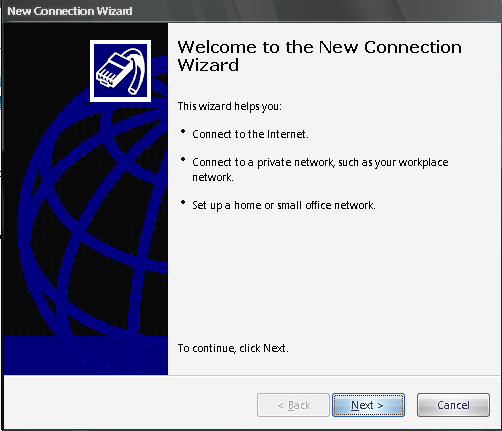
- Go to New Connection Wizard (Start – Settings – Network Connections – New Connection Wizard), and then click Next.

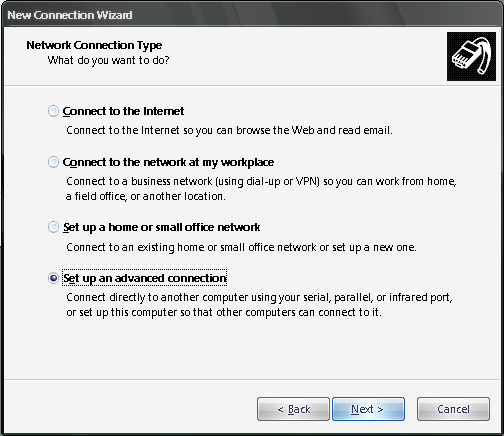
- Select ‘Setup an advanced connection’, and then click Next.
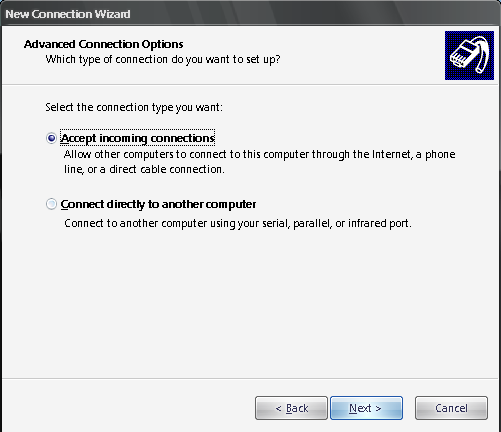
- Select ‘Accept Incoming Connection’, and then click Next.
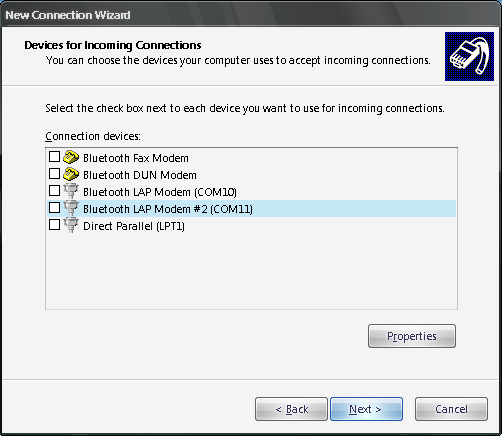
- Un-select any selected connection, and then click Next.
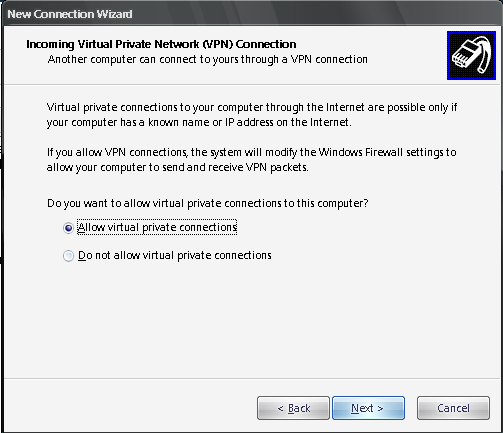
- Select ‘Allow virtual private connections’, and then click Next.
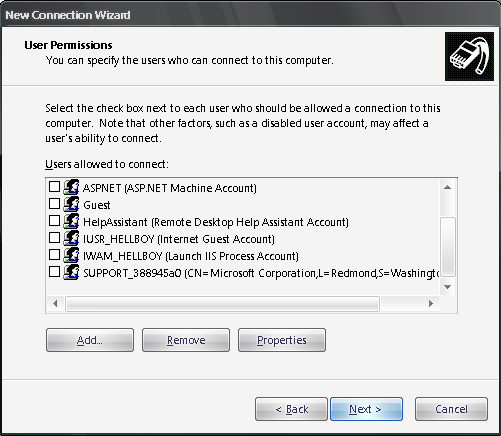
- Select the user(s) that have access to VPN. PLEASE make sure they have a STRONG PASSWORD. What is strong password? The length should at least 8 characters. It has small caps character(s), capital character(s), numeric character(s) and non-alphanumeric character(s) such as #,$,@,&, etc.
- Click Next. By default the TCP/IP address will be using DHCP. It means any computer connected through VPN will receive IP address automatically just like any other computers in your network. Please make sure your network router has DHCP server running.
- Click Finish
Wait, don’t celebrate first (^_^). The VPN is now up and running, but how will user from home discover it? I will assume you’re not using static IP. To check whether you’re using static IP or not, please go to your router (192.168.0.1 or 192.168.1.1) and look for ‘Status’ or ‘Network Status’.
So what to do if we have non-static IP? I suggest you to register and download those Dynamic DNS forwarding service. You can search google for ‘Dynamic IP’. Basically these services will give you a domain name, and program to be run inside your network. I recommend it to be installed in the VPN server. The program will periodically update the IP address in the ‘Dynamic IP’ server. Thus, whenever users request for the domain you’ve registered, they will be transferred to your IP address (i.e. your office).
Next is to open your firewall port. Login to your router, look for ‘Port Forwarding’ or ‘Application and Game’ menu (usually they are located in the advanced settings). Forward TCP port 1723 to your VPN server.
Basically that’s all the steps to set up VPN in your Office. Questions?
How To Access VPN from Home
Now that your office has VPN service up and running, it’s your turn to set your computer to connect to your office network. Please follow the following steps:
- Go to New Connection Wizard (Start – Settings – Network Connections – New Connection Wizard), and then click Next.
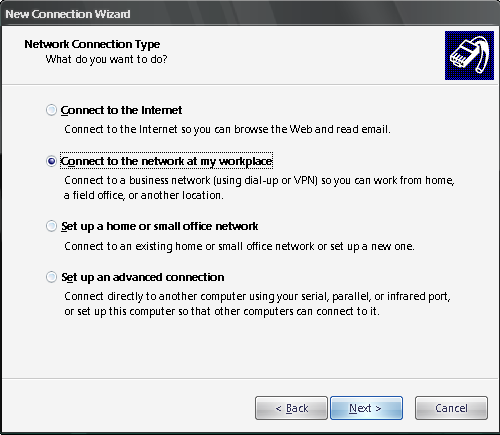
- Select ‘Connect to network at my workplace’, and then click Next.
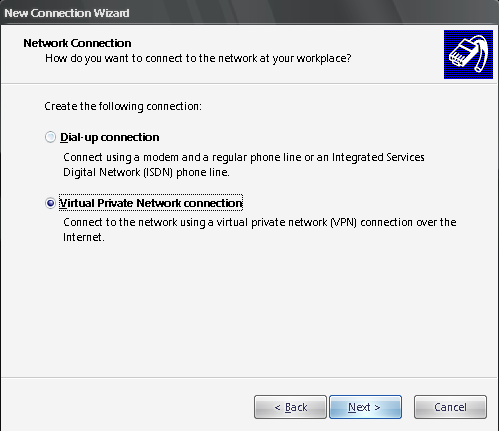
- Select ‘Virtual Private Network connection’, and then click Next.
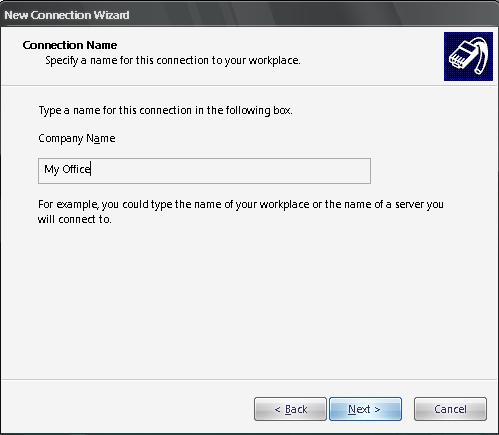
- Type something for the connection name, and then click Next.
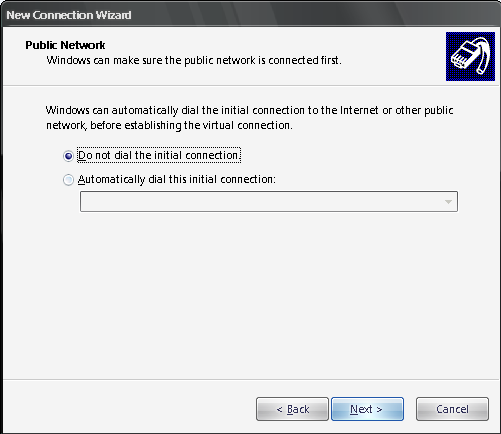
- Select ‘do not dial the initial connection’, and then click Next.
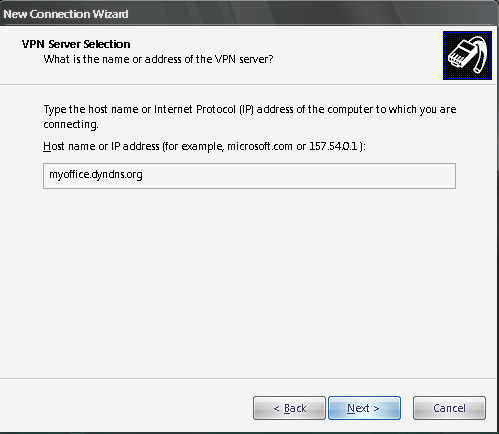
- Type the address that you’ve registered for your company, and then click Next.
- Click Finish
So now how to connect to the office? Go to Start-Settings-Network Connections – My Office. It should open the following window:

Type the username and password, the username should have been given access to the VPN service
There you go. You should be able to connect to your office and access the fileserver using the usual ‘fileserver’
Troubleshooting
- I manage to get connected, but I am unable to access the network. Answer:Check your VPN Server’s Network TCP/IP settings. Make sure the Gateway, DNS and WINS points to your router IP address.
- You have trouble setting your VPN? Post comment and I’ll try my best to answer it.
About Hardono


