browse by category or date

Today, I decided to test an old in-ear headphones that has been gathering dust in my table to see if it’s still working. Unfortunately, I found that left speaker is not as loud as the right speaker. Using it to listen any music will give me a disorienting effect. I was half-way from throwing this headphones into the rubbish bin. Suddenly, I remember that we can actually adjust the volume balance in Windows.

Here’s how I did it in my Windows 10 Professional:

  • STEP 1: Right click on the Volume Icon in the System Tray. It will pop up something like below, then click Sounds
    volume-tray

    But if you you have something like below, click “Open Sound Settings”. A new page will open, on the right side of that page, click “Sound Control Panel”. Skip step 2, go straight to step 3.

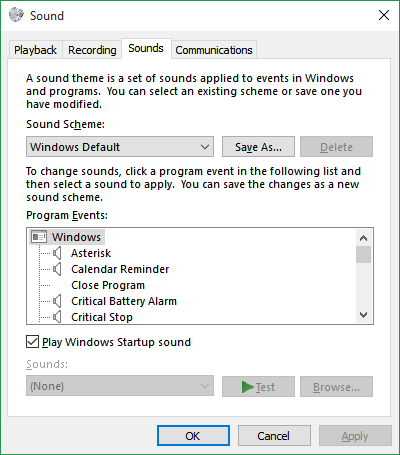
  • STEP 2: A new window will pop up like below

    volume-sounds

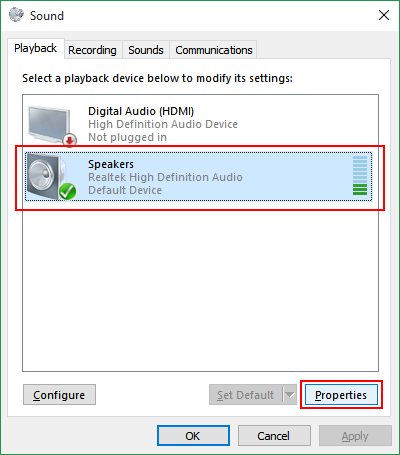
  • STEP 3:Click Playback tab.

    volume-playback

    Once above window show up, select the active device, then click Properties.

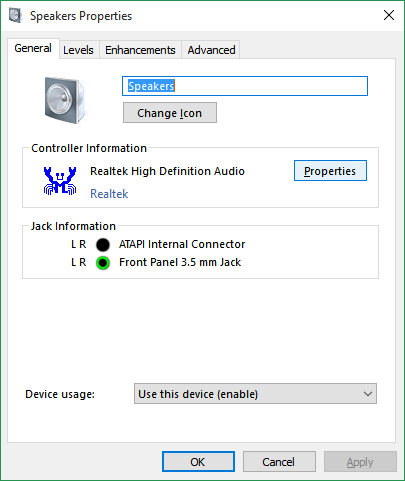
  • STEP 4:Now the Speaker’s window will pop like below.

    volume-speakers

    Click the Levels tab.

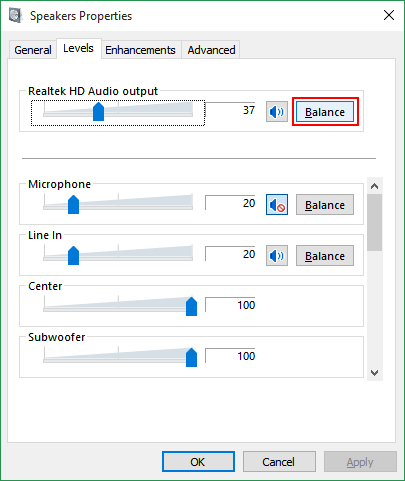
  • STEP 5:In the Levels tab, click the Balance button, as shown below.

    volume-levels

  • STEP 6:Now the Balance window will pop up.
    volume-balance
    With this we can now adjust the balance between left and right speaker. The best way to adjust is while listening to music. This way we know immediately the best balance setting for the headphones.

** Update 20 July 2020

Based on Melanie’s suggestion:

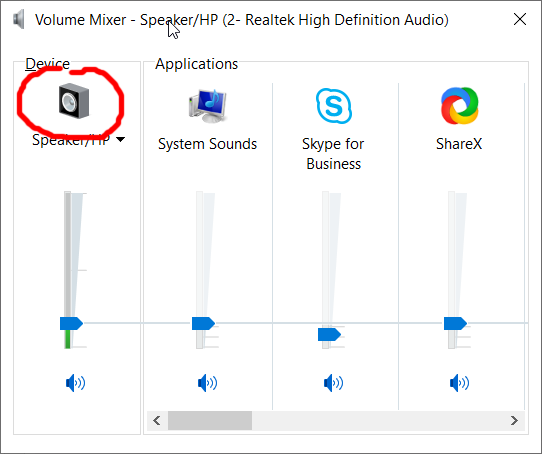
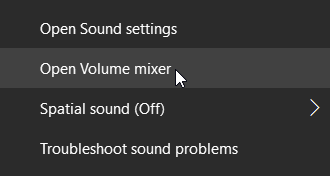
  • FIRST: Right-click Volume Icon in the System Tray. Click Volume Mixer.
  • THEN: Click the speaker
  • Now you’re at Step 4 of the original steps
That’s all. I hope it helps.

About Hardono

Howdy! I'm Hardono. I am working as a Software Developer. I am working mostly in Windows, dealing with .NET, conversing in C#. But I know a bit of Linux, mainly because I need to keep this blog operational. I've been working in Logistics/Transport industry for more than 11 years.


Possibly relevant:

I have tried, unsuccessfully, to upgrade my work PC to Windows 10 many times. It always stops at 20%. After trials and errors, I suspected that the failure was caused by any programs currently installed in my PC.

Voila, after removing some of the programs. I managed to successfully upgrade to Windows 10. Here are the list of programs that I removed from my PC:

  1. Visual Studio 2015 Community Edition
  2. Windows SDK for Visual Studio 2012
  3. Windows SDK for Visual Studio 2018

These programs should have been listed in the list of programs that need to be uninstalled before upgrading to Windows 10.

What do you think, did you have the same issue?

About Hardono

Howdy! I'm Hardono. I am working as a Software Developer. I am working mostly in Windows, dealing with .NET, conversing in C#. But I know a bit of Linux, mainly because I need to keep this blog operational. I've been working in Logistics/Transport industry for more than 11 years.

Possibly relevant:

If browse a website from your Android phone then saw something like below, it means your browser doesn’t support Flash.

Screenshot_2015-04-22-15-09-38

Don’t worry. Although Android doesn’t support Flash and Adobe stop supporting Flash, there is still work around. There are many browsers which supports Flash. One of my favorite browser is Dolphin browser. So there are two things to install:

  1. Dolphin Browser
  2. Dolphin JetPack (this one to enable Flash)

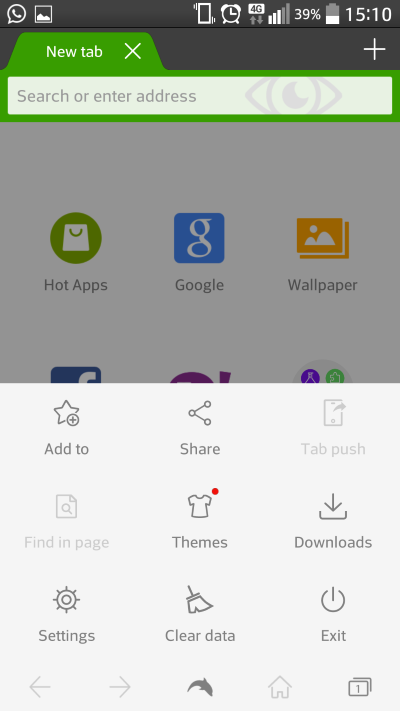
Once you install both apps, please open Dolphin Browser App. Once it open, press the “Setting” physical-button in your Android phone.

Screenshot_2015-04-22-15-10-32

Click Settings. Enable the “Dolphin JetPack”.

Screenshot_2015-04-22-15-10-59

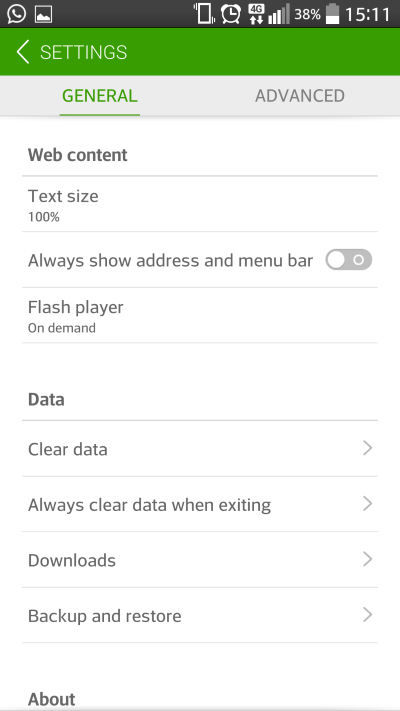
Scroll down, ensure that the Flash player is available (either On demand, or Always on).

Screenshot_2015-04-22-15-11-13

That’s it. Once you’ve done it, the Flash application should load correctly.

Screenshot_2015-04-22-15-34-23

I hope it helps,
Cheers.

About Hardono

Howdy! I'm Hardono. I am working as a Software Developer. I am working mostly in Windows, dealing with .NET, conversing in C#. But I know a bit of Linux, mainly because I need to keep this blog operational. I've been working in Logistics/Transport industry for more than 11 years.
Possibly relevant: